

Why Automation Works When Willpower Doesn't
Saving money manually — deciding each month whether you have enough left over to put aside — relies on a decision you have to make repeatedly, under pressure, after bills and expenses have already competed for your attention. Most of the time, there is nothing left over, or the amount feels too small to bother with.
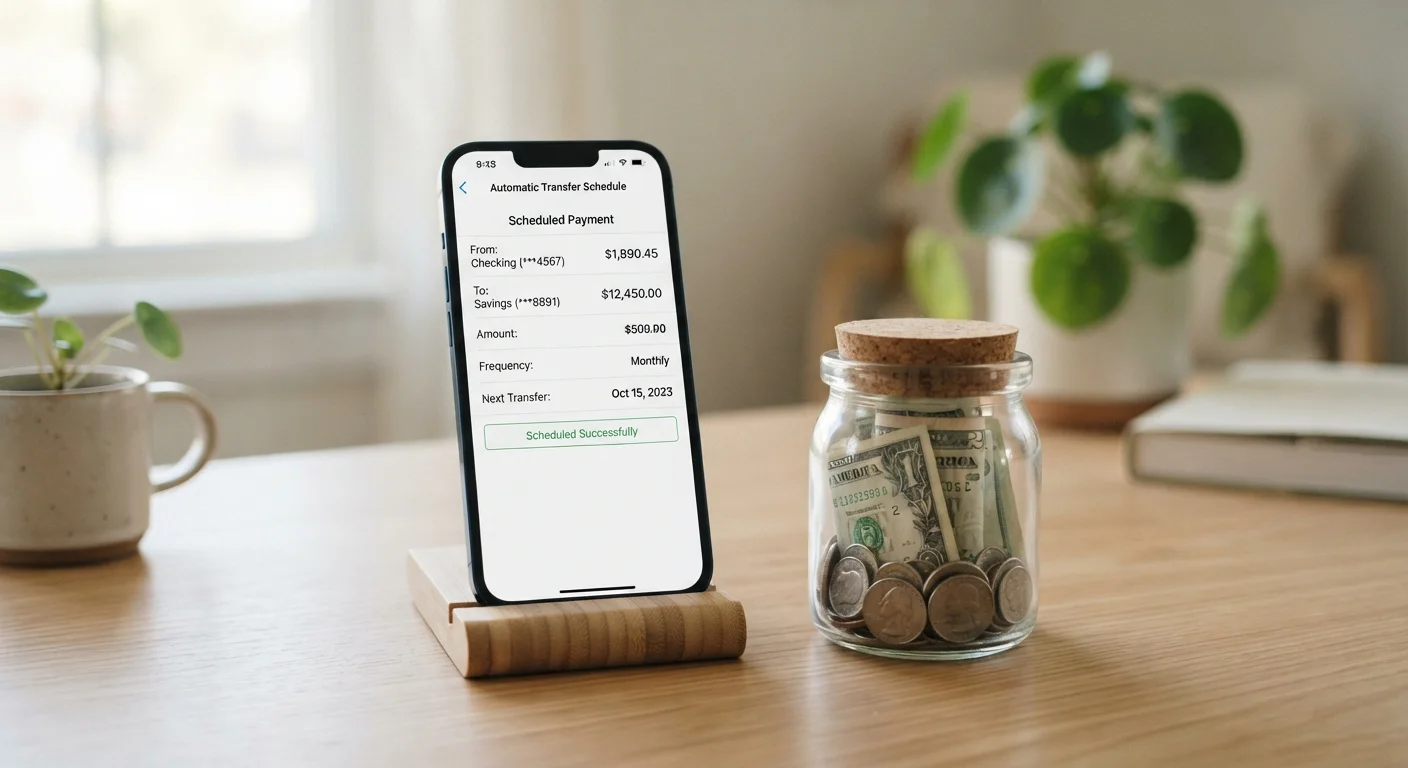
Automation flips that sequence entirely. When a transfer is scheduled to move money out of your checking account on the same day you get paid, saving becomes the default — not an afterthought. This is the core of the "pay yourself first" principle: treat your savings contribution like a fixed bill that gets paid before discretionary spending begins.
Research in behavioral economics consistently shows that automatic defaults shape behavior more reliably than intention alone. You don't have to believe you're disciplined enough to save; the system does the work regardless. If you're just getting started, our guide to building your first emergency fund from zero covers the foundational decisions — including how much to target — before you automate.
Small Amounts Build Real Habits
A $20 automatic transfer each payday adds up to over $500 in a year — without a single conscious decision after setup. The habit of consistent saving matters more than the size of the initial contribution. Starting small and sustaining it beats waiting until you can save a larger amount.
What You Need Before You Set Up Automation
Before scheduling any transfer, make sure a few basics are in place. You'll need a checking account where your income lands, a separate savings account to receive the automated transfer, and a clear sense of a realistic contribution amount — even if it's very small.
What you will need
Keeping savings in a dedicated account rather than the same account you spend from is important. If the money stays in your checking account, it becomes invisible as savings and easy to spend. A separate account — even at the same bank — creates a psychological and practical barrier. For help sizing your contribution against your overall budget, see the Budgeting Basics hub.
Bank or credit union online account
Used to schedule and manage recurring automatic transfers between accounts.
Dedicated savings account
Holds your savings separately from spending money, reducing the temptation to use it.
Direct deposit split (if offered by employer)
Routes a fixed portion of your paycheck directly to savings before it reaches checking.
How to Set Up Your Automatic Savings Transfer
The process is straightforward at most financial institutions and takes under 30 minutes the first time. Follow these steps to put the system in place.
Decide on a realistic transfer amount
Look at your take-home pay and your fixed monthly expenses. The transfer amount should be small enough that it won't trigger an overdraft, but consistent enough to accumulate over time. A common starting point is 1–5% of your net paycheck. If that still feels like too much, start with a flat $10 or $20. You can always increase it later. The myth that you need to save large amounts to make progress is one of the most common barriers to getting started.
Open or designate a separate savings account
Log in to your bank's website or mobile app and open a savings account if you don't already have one separate from checking. Name it something specific — "Emergency Fund" works well — to reinforce its purpose. Many banks allow you to nickname accounts within the app. If your current bank charges monthly fees on savings accounts with low balances, check whether another account type or institution waives fees for small balances.
Schedule the automatic transfer
Navigate to the transfers or payments section of your bank's app or website. Select your checking account as the source and your savings account as the destination. Set the transfer date to match your payday — or one business day after, to ensure the deposit has cleared. Choose "recurring" and set the frequency to match how often you're paid (weekly, biweekly, or monthly). Confirm the amount and activate the transfer.
Verify the first transfer and monitor for one month
After the first scheduled transfer date passes, confirm the amount moved correctly. Check both accounts: the deduction from checking and the deposit to savings. Set a calendar reminder to review your balance at the end of the first month to make sure no overdrafts occurred and that the savings account is growing as expected.
Increase your contribution as income allows
Once the system feels stable and you've adjusted your spending to accommodate the transfer, revisit the amount. A raise, a reduced bill, or a side income boost are all good triggers to increase your contribution. Even adding $10–$25 more per paycheck compounds meaningfully over several months. For context on how saving and debt repayment compete for limited income, the article on saving versus paying down debt can help you weigh priorities.
Once the system is running, resist the urge to cancel transfers during tight months. If money is genuinely short, reduce the amount — don't stop entirely. Even a $5 transfer maintains the habit and the account's momentum. If your fund keeps getting tapped before it grows, the issue is often structural rather than a savings problem; see our article on why emergency funds get raided before they grow for targeted fixes.
Don't Automate Into an Overdraft
If your checking account balance is unpredictable — for example, if your income is irregular or your paydays vary — schedule transfers conservatively or set a low-balance alert before your transfer date. An overdraft fee from a failed transfer can quickly cancel out a week's worth of savings.
This article is for general informational and educational purposes only and does not constitute personalized financial advice. Consult a qualified financial professional for guidance specific to your situation.
The content provided on our blog site traverses numerous categories, offering readers valuable and practical information. Readers can use the editorial team’s research and data to gain more insights into their topics of interest. However, they are requested not to treat the articles as conclusive. The website team cannot be held responsible for differences in data or inaccuracies found across other platforms. Please also note that the site might also miss out on various schemes and offers available that the readers may find more beneficial than the ones we cover.